Three steps
Press and hold
Press and hold an empty spot on your Home Screen, then tap Edit and Add Widget (on Android: Widgets).
Find MyFamPulse
Search for MyFamPulse and pick Today, This week or List, in the size you like.
Tap to open
Tap any line to open that event or list in the app.
Made for real family life
Today
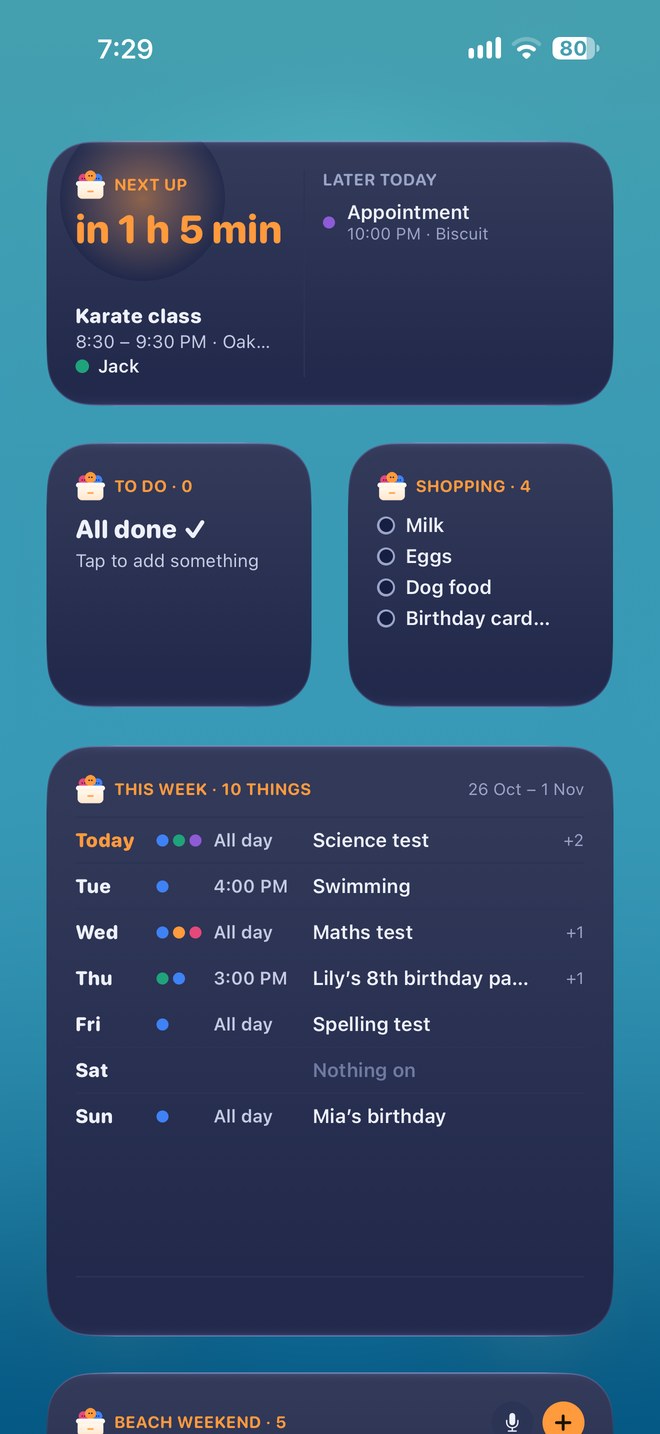
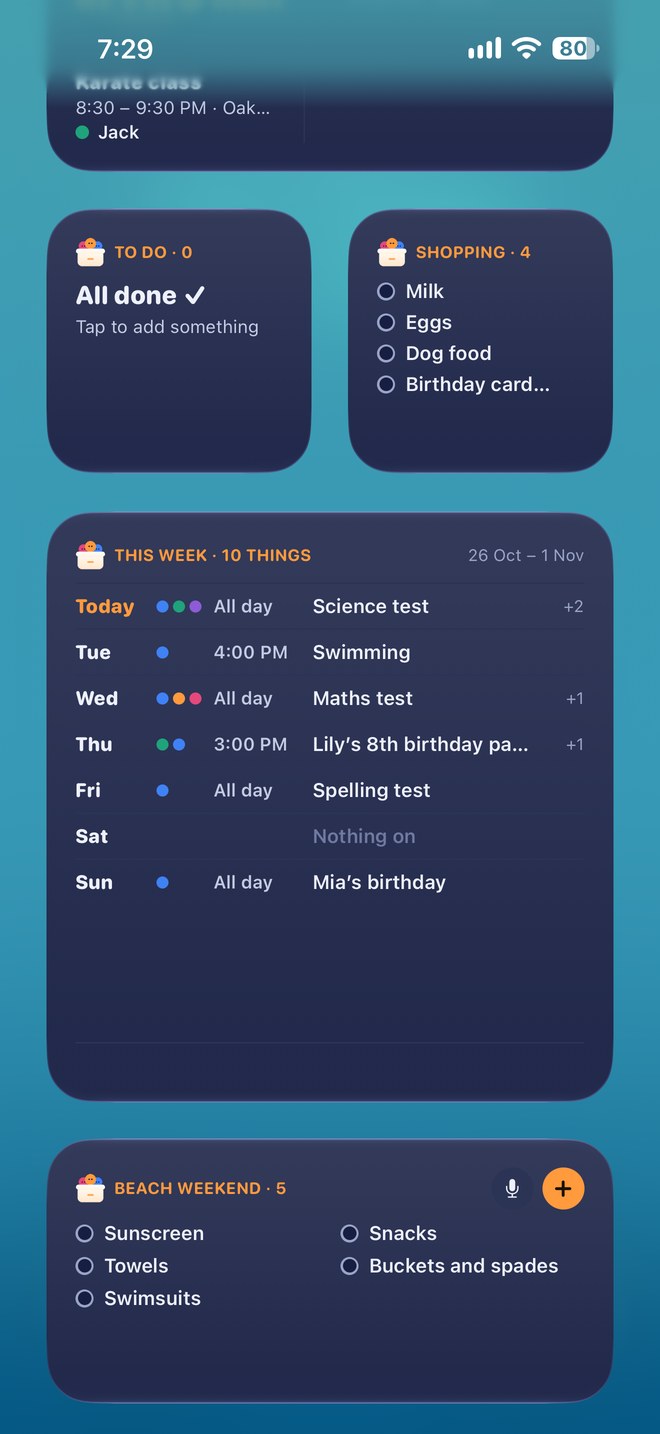
The next thing with a countdown (“in 35 min”), what to bring, and what else is on later today. When the day is done, it shows tomorrow.
This week
A row for each day with a coloured dot for each person, so you can see a busy Tuesday at a glance.
List
Your Shopping, Packing or To do list, with who added each item, plus a mic and + to add more.
Keeps up on its own
When your partner adds to a shared list, your widget catches up within minutes, even with the app closed.
Lock screen
A line, a box or a round countdown on your lock screen. What it is stays hidden until you unlock, unless you switch that off.
Private by design
Health events show only as “Appointment”, and vault documents never appear on a widget.
Widgets show only what’s already on your phone. Nothing extra is sent anywhere, health events show only as “Appointment”, and the vault never appears.
Good to know
Are widgets on Android too?
Yes: Today, This week, and one widget each for the Shopping, To do and Packing lists. The lock screen widgets are on iPhone only, since Android has none.
Can someone read my lock screen?
Not the details. While your iPhone is locked, the lock screen widgets show only the time of the next thing. Change this in Settings › Privacy.
Which list does the List widget show?
Pick Shopping, Packing or To do when you add the widget. It shows the first list of that kind.
Can I tick things off on the widget?
Not yet. Tap the widget to open the list and tick them there.
Your family’s plans, in one happy box.
Start with a free trial. Everything stays on your phone unless you choose to share it.
Get the app