Snap it
Turn any school note into plans in seconds
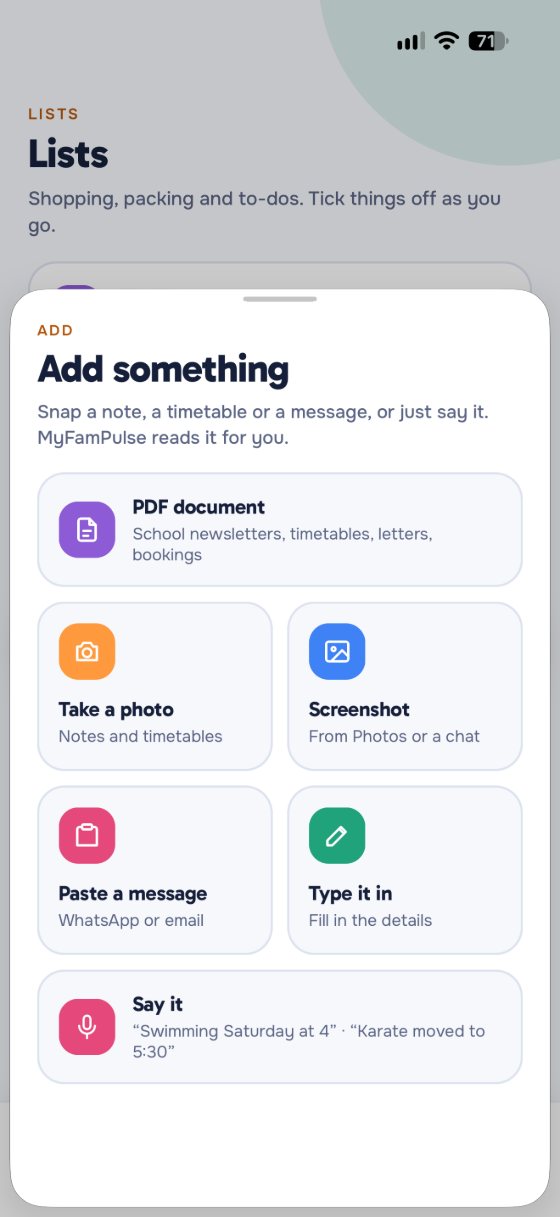
Photo or screenshotA school note, a poster or a screenshot becomes an event.
Paste a messageFrom WhatsApp, email or the school app, read on your phone first.
School PDFsNewsletters and exam timetables become a timetable, with what to bring each day.
Add to a group you already haveNext month’s newsletter joins the child’s existing timetable, and anything already in the calendar is asked about first.
Share from other appsShare a PDF, photo or message from WhatsApp straight into MyFamPulse.
Club postersA training or class poster becomes one weekly class, with the place and what to bring.
Check before savingNothing is added until you tap Save, and missing dates are asked for, never guessed.
Say it
Just say it. Your words appear as you speak
Live voiceSay “Karate on Thursday at 5” and watch your words appear as you speak.
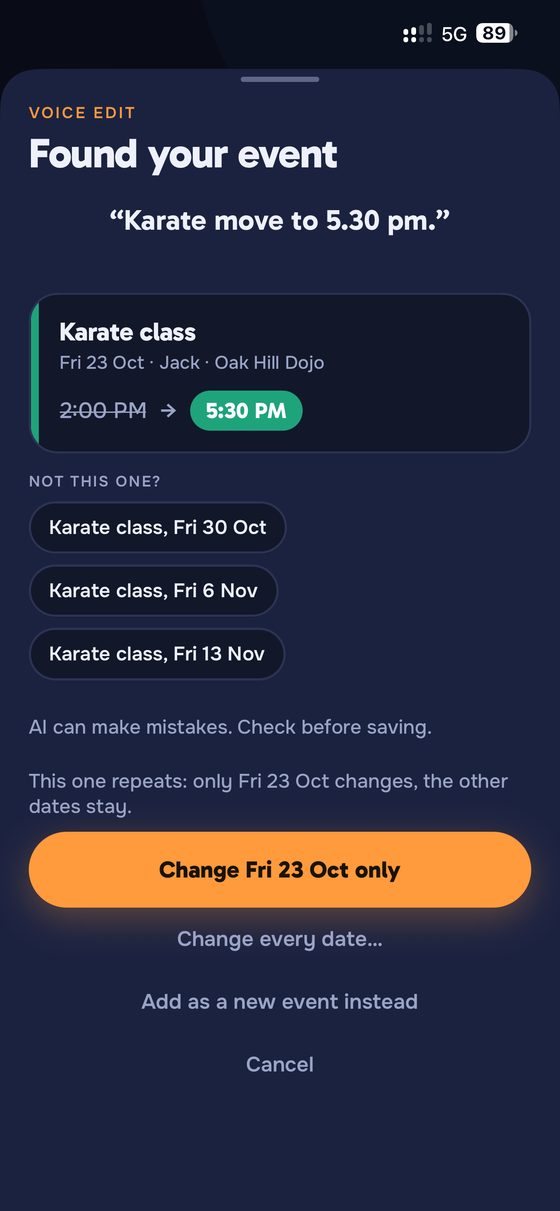
Change by voice“Karate moved to 5:30” finds the event and shows the change before anything is updated.
Lists by voiceSay a whole shopping list in one go and it’s split into items.
Family calendar
The whole family’s week, on one calm screen
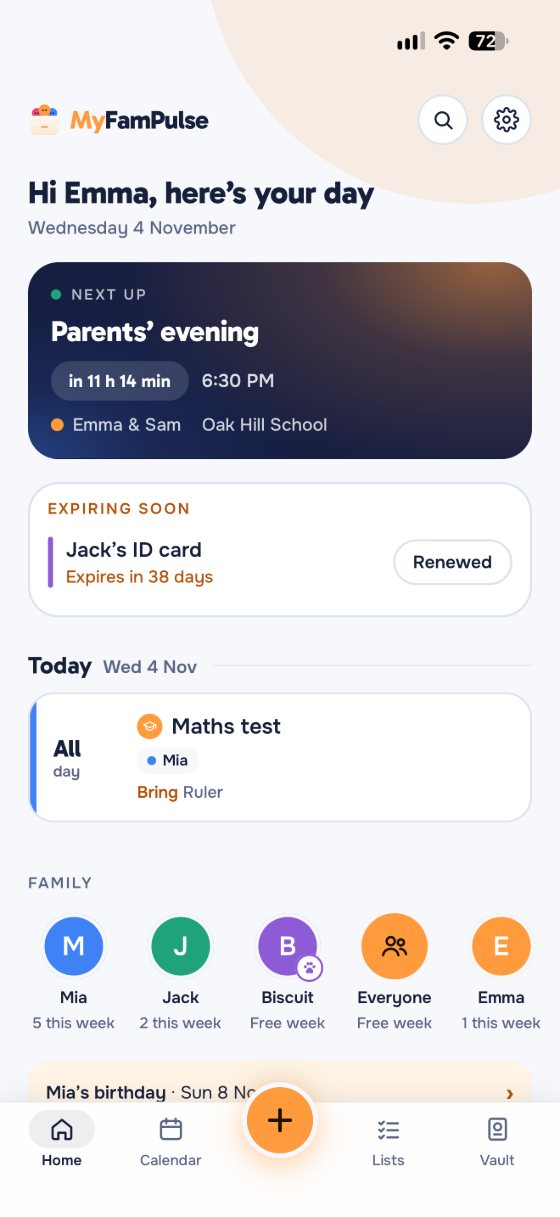
Next up and TodayWhat’s next with a countdown, and only what’s still ahead today.
CalendarTwo weeks or a month, a dot per person, timetables and weekly classes.
Weekly classesDifferent times on different days; skip or move one date.
Categories and remindersSchool, health, trip, renewal and your own, each with suggested reminders.
Your own reminder timesCustom… adds any time you like, such as 18 months before a passport expires.
Check for duplicatesThe same thing added twice, say from a message and a PDF? See both, keep one.
Morning, evening and week aheadA morning note with today’s plans and the week ahead each Sunday or Monday evening (turn them off any time), and tomorrow’s plan each evening if you like.
To-dosA tick box on things to do, ticked on both phones, and their reminders stop.
OverdueDone, Remind tomorrow or New date for things that have passed.
Your phone’s calendarShown next to the family’s, view only, with a warning when you’re busy.
Kids and petsA card for each child, pet and adult, with just their plans.
SearchAny event by title, person, place or what to bring.
Share with family
Both parents, one plan. And the nanny sees just enough
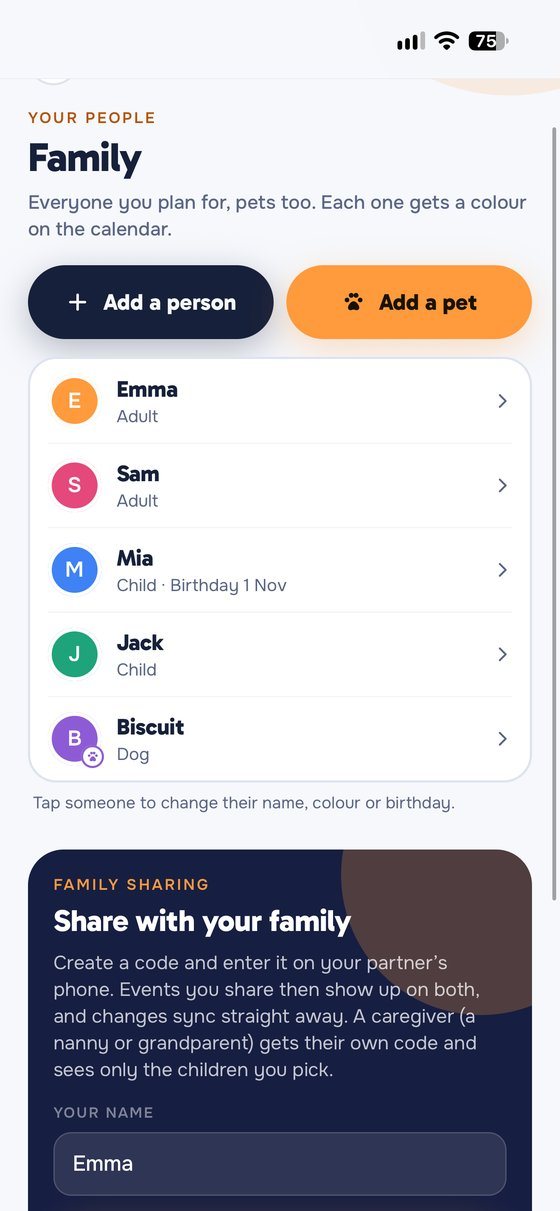
Invite your partnerA 8-character code joins their phone to the family.
CaregiversA nanny or grandparent sees only the children you choose, view only, and never health events.
A child’s own phoneSet it up with a code: under 15 the child only sees their own plans; from 15 they can also suggest events.
Suggested eventsA teenager or nanny suggests an event; you add it or say no, and they hear back.
Health stays privateHealth events stay on your phone unless you confirm sharing each one.
What’s newSee what your partner added or changed, with a notification.
Same family on both phonesNames, colours and classes match on every partner’s phone.
Optional sign-inSign in with Apple or Google so a new phone gets your family back.
Lists
The shopping list everyone can add to
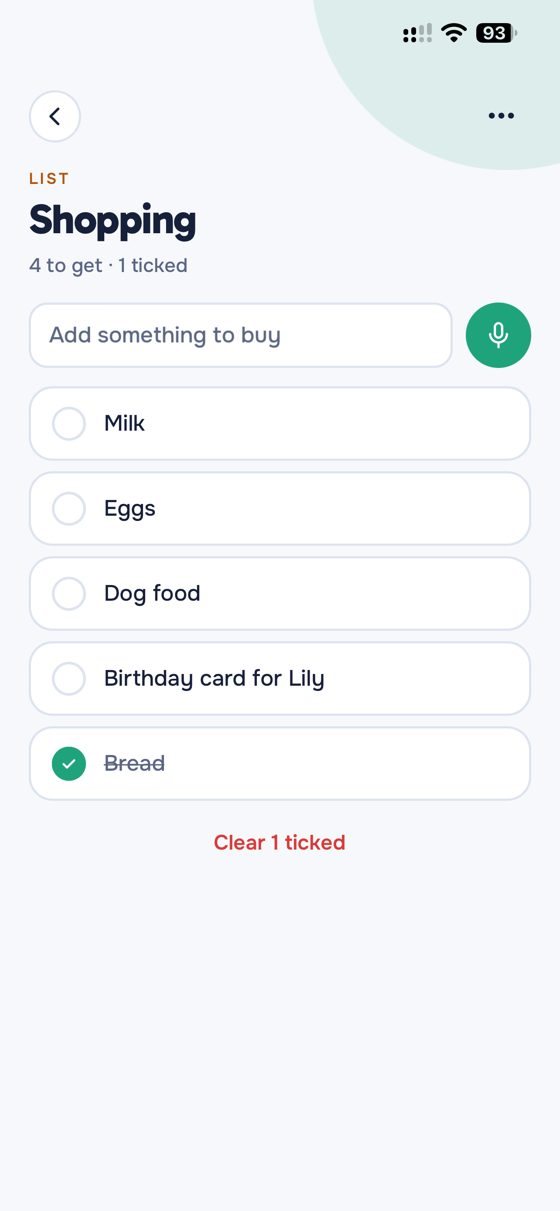
Shopping, to-do and packingShared with the family, ticked off on every phone.
From an eventAdd what to bring for a school day straight to a list.
One notification per round“Sam added 3 items to Shopping”, not one per item; your choice of lists.
Say it, print itTap the mic and say the whole list; print it or save it as a PDF.
Birthdays and parties
Never miss a birthday, or an RSVP
Birthdays every yearWith “Turns 8” on the day and a reminder the week before.
Party invitationsRead into one event with the theme and a reminder to reply.
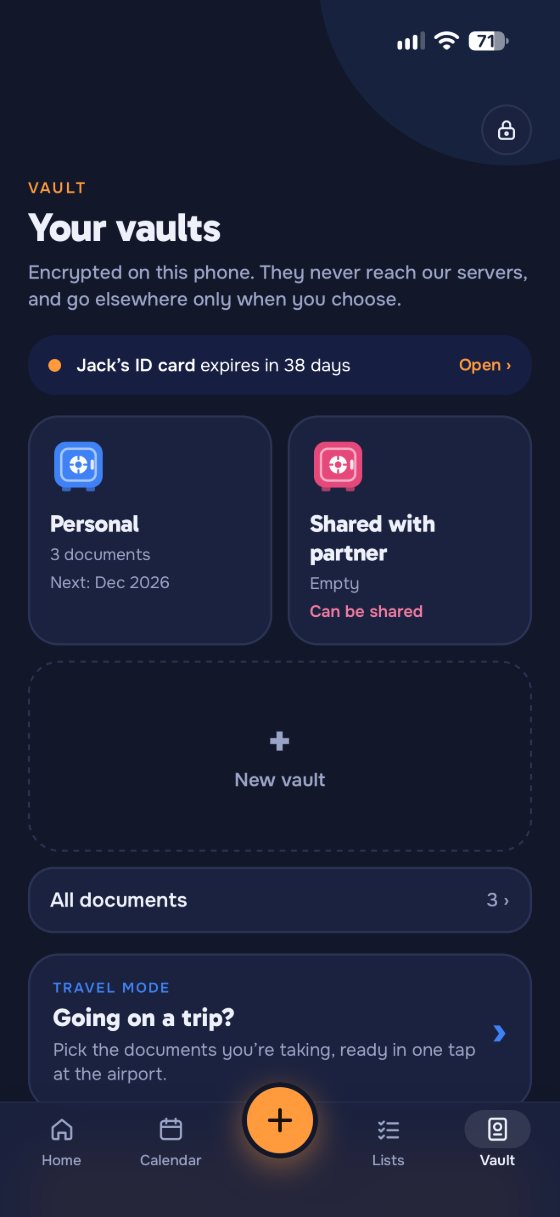
Document vault
Every passport and ID, safe on your phone
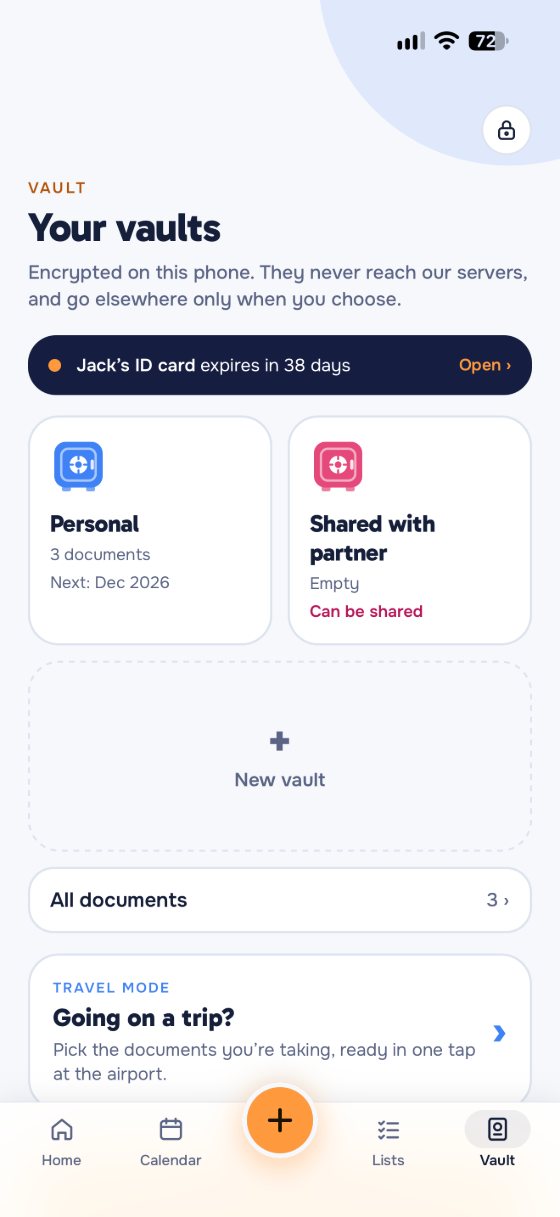
Passports, IDs and licencesEncrypted on your phone, opened with Face ID, never on our servers.
Several vaultsPersonal, Shared with partner, and any you add, such as one for each child.
Automatic backupA password-locked copy saved by itself to your own iCloud Drive or Google Drive.
Expiry remindersMonths ahead, and an Expiring soon card on Home.
Share a copy safelyA photo with a watermark, the number hidden, or just the details, after Face ID.
Documents that go togetherA passport’s reminder also mentions the visa and ID card.
Scan or pick a PDFEdges found and straightened, or crop a PDF page to the card.
Reads expiry and numberOn your phone, after you add a photo. Nothing is sent.
Send to your partnerPhone to phone by AirDrop, locked with a spoken code, never through our servers.
Travel mode
Every passport ready before the queue
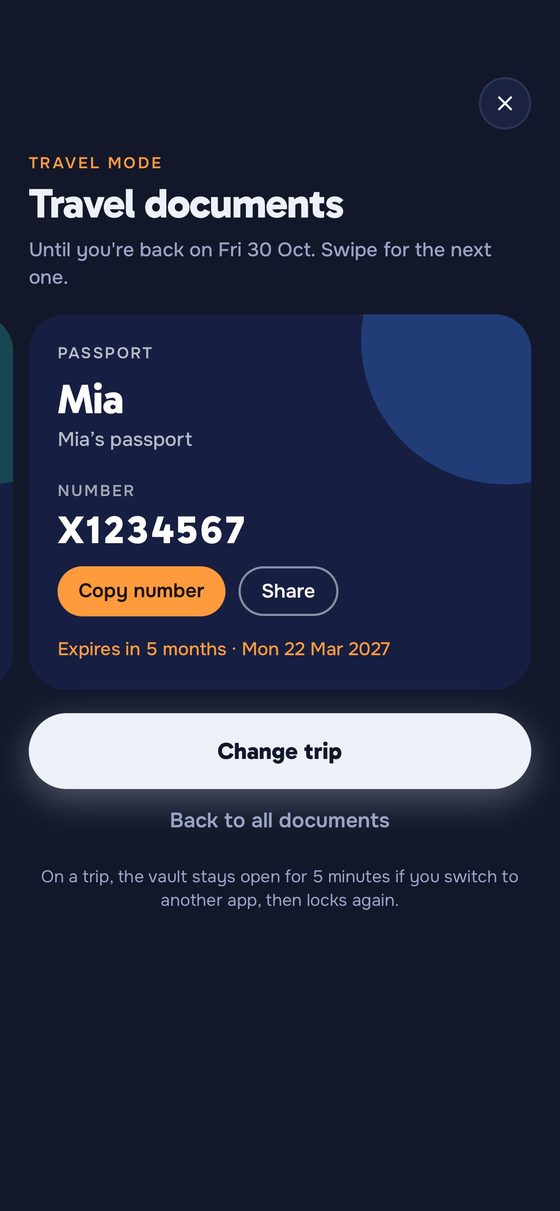
Pick documents for a tripWith warnings, such as a passport with less than 6 months left.
Ready at the airportBig cards with the number to copy, working without signal.
For your partner tooSend the trip’s documents to your partner’s phone, phone to phone.
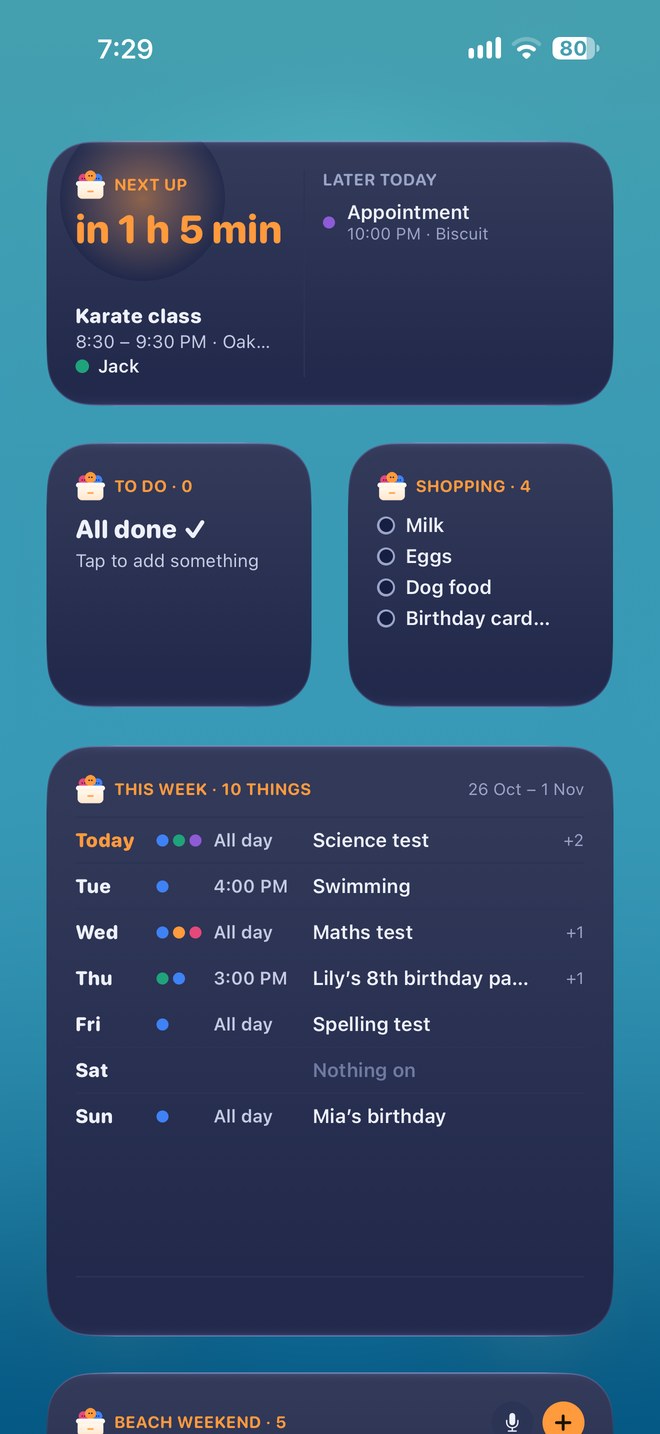
Widgets
Your family’s day, without opening the app
Today, This week and ListOn your iPhone or Android Home Screen, keeping up by themselves.
Lock screenWhat’s next with a countdown, the details hidden until you unlock (iPhone).
And also
Face ID before deletingLeaving the family or deleting anything asks for Face ID or your passcode first.
Light and darkFollow your phone, or choose one.
Your country’s wayDay or month first, 12 or 24-hour time.
Full backupEverything, vault included, in one password-locked file, made by hand or automatically to your own iCloud Drive or Google Drive.
Larger textFollows your phone’s text size, with labels for screen readers.
No ads, no trackingNo ads, no selling data, no analytics.
Your privacy
Your family’s plans live on your phone. Only what you choose to share goes to your family, and passports and IDs never reach our servers.
Get started
Your family’s plans, in one happy box.
Start with a free trial. Everything stays on your phone unless you choose to share it.
Get the app