Three steps
Next up
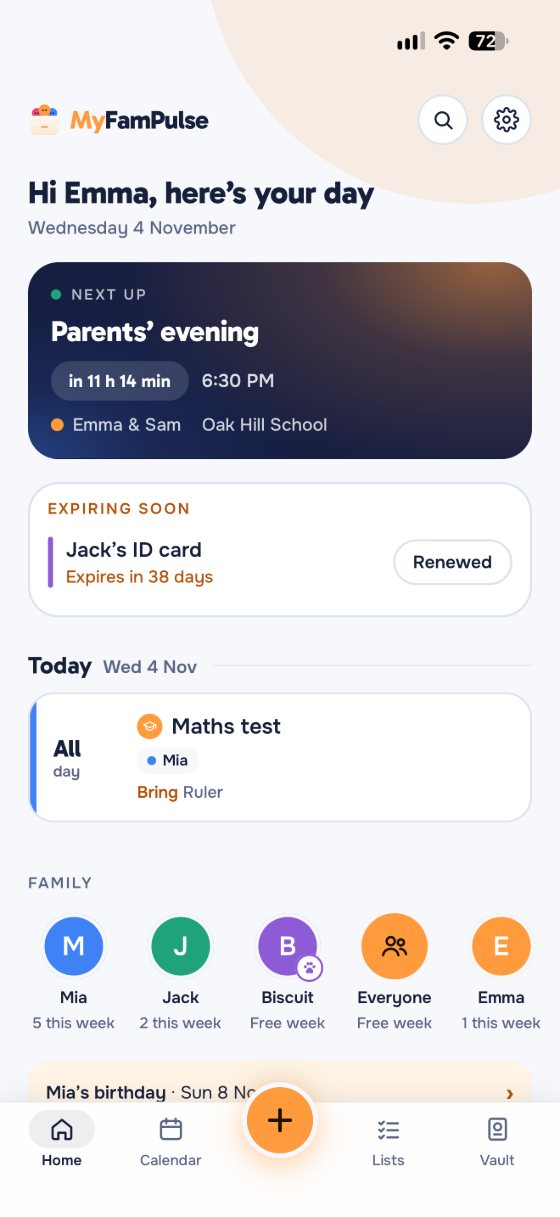
The next thing today with a countdown, and what else is on later. When the day is done, it shows tomorrow.
Today
Only what’s still ahead today, so the list gets shorter as the day goes on.
Calendar
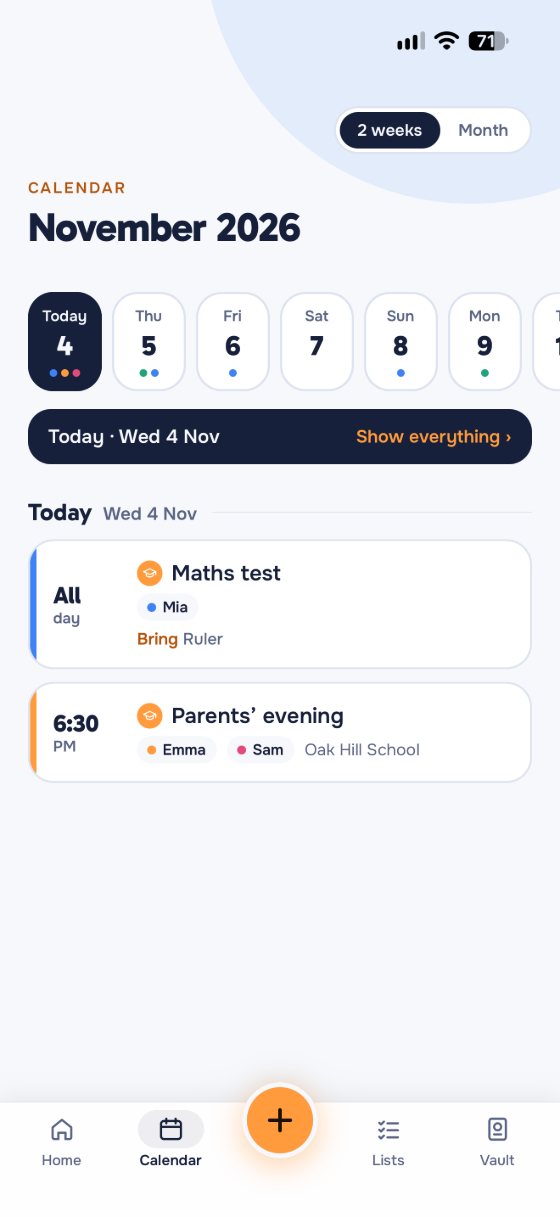
Two weeks or the whole month, with a coloured dot for each person. Tap a day to see just that day.
Made for real family life
Weekly classes
Pick the days, give a day its own time if it differs, and end it after a few months or never. Skip one date or move it without touching the rest.
Reminders that fit the event
Choose a category such as school, health, trip or renewal and it suggests sensible reminders, like the evening before with “Pack tonight: calculator”. Change them any time, or make your own categories.
Each child and pet at a glance
Home has a round face for each child, pet and adult, with how busy their week is. Tap one to see just their plans and school timetables.
Morning, evening and week ahead
Turn on a morning note with today’s plans, an evening note with tomorrow’s and what to pack tonight, or one note before the week starts. Each is optional.
To-dos with a tick
“Book the cinema tickets by tomorrow” becomes a to-do with a round tick box. Tick it and its reminders stop, on both parents’ phones.
Nothing forgotten
Important things that have passed, like a renewal, stay on Home with Done, Remind tomorrow or New date until they’re dealt with.
Its own sound
Reminders play a short MyFamPulse tune, so you know it’s the family’s plans without looking.
Your phone’s calendar, alongside
Show your work or personal calendar next to the family’s, so you can see when you’re busy. It’s only shown, never copied or sent anywhere.
Search
Find any event by title, person, place or what to bring.
Your calendar lives on your phone. Only events you choose to share are sent to your family, and your phone’s own calendar is never copied or sent anywhere.
Good to know
Can I see my work calendar too?
Yes. Switch on your phone’s calendars in Settings, pick which ones to show, and they appear next to the family’s, view only.
Does it work without internet?
Yes. Your events and reminders are on your phone, so the calendar and reminders work offline. Sharing catches up when you’re back online.
Can my partner see it?
Yes, events you share. Invite your partner with a code from the Family screen, and you’ll both see shared events and changes.
Will I get too many reminders?
Each event has its own reminders, which you can change. Important ones, like renewals, are always kept first.
Your family’s plans, in one happy box.
Start with a free trial. Everything stays on your phone unless you choose to share it.
Get the app