Three steps
Snap, paste or pick
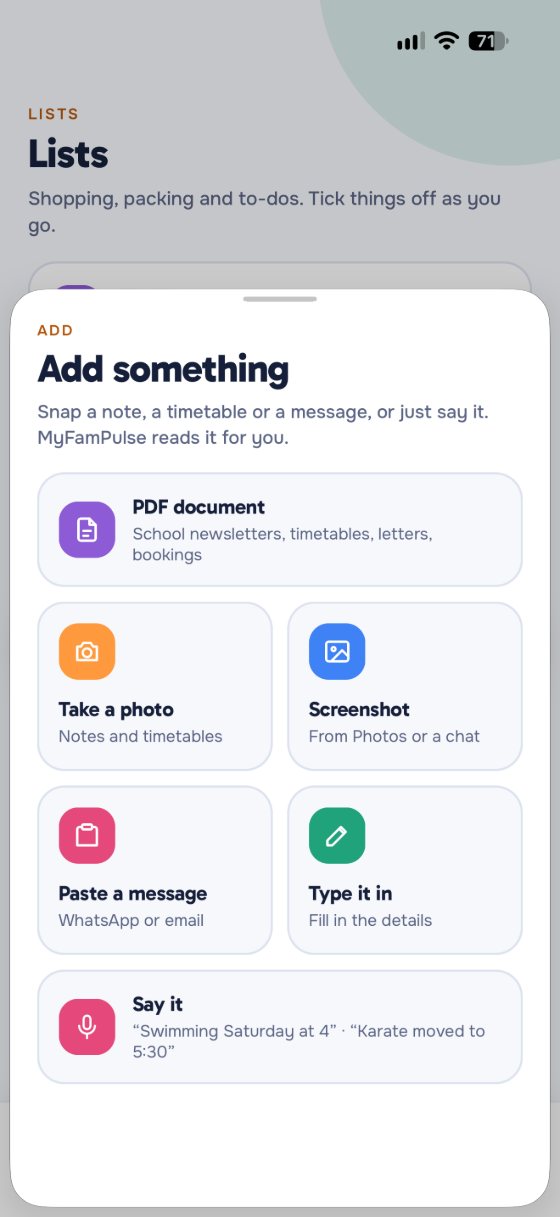
A photo, a screenshot, a message you copied, or a PDF from school. Tap + and choose.
It finds the details
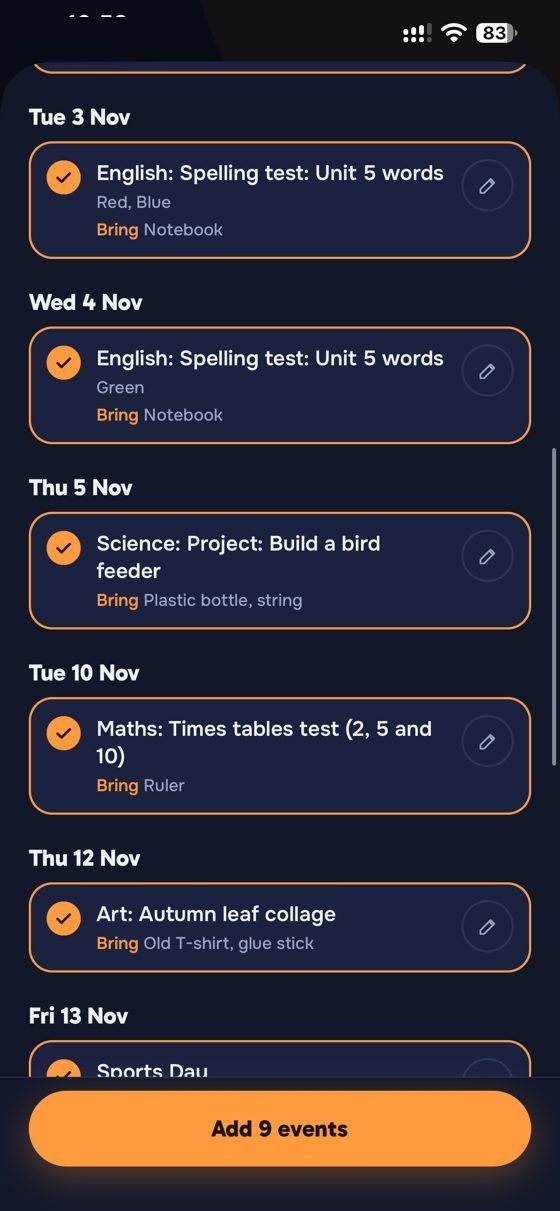
Date, time, place, who it’s for, and what to bring, written out as an event.
You check, then save
Everything can be changed first. Nothing is added to your calendar until you tap Save.
Made for real family life
School PDFs become a timetable
Newsletters, exam timetables and term dates are read into a list of events. Pick your child’s class and the subjects you want, and keep them together as one timetable with what to bring for each day.
Messages are read on your phone
Paste a message from WhatsApp, email or the school app. It’s read on your phone first, so most messages never leave it.
Never a made-up date
If a note says “next week” or has no time, MyFamPulse asks instead of guessing: Today, Tomorrow, This weekend or Pick a date.
Several children in one message
“Swimming for Mia on Sunday and Tuesday, and for Sam on Thursday at 5” becomes a weekly class for each child.
Party invitations
A birthday invitation becomes one party with the time, the theme and a reminder to reply by the date it asks.
Straight from WhatsApp
Got the school PDF or a party invite in a chat? Tap Share and pick MyFamPulse, and it opens ready to read.
Already in your calendar?
Before saving, it checks for the same event or a clash at the same time, and asks you first.
Club and coaching posters
A football or swimming poster with “Sun | Tue | Thu, 6–7 PM” becomes one weekly class for the month, with the place and what to bring. A photo works, and so does the poster’s text pasted from a chat.
Passports stay out of it
If a photo or PDF looks like a passport or ID card, it isn’t sent to be read. MyFamPulse offers to keep it in your vault instead.
Messages and PDFs are read on your phone first. Photos, and anything the phone can’t read, go to our reading service only after you’ve allowed it; they’re read and deleted straight after. Passports and IDs are never sent anywhere.
Good to know
Which messages can it read?
Any text you can copy: WhatsApp, email, school apps or a text message. Paste it into Add something › Paste a message.
Does it work with handwriting?
Clear handwriting usually works from a photo. Whatever it reads, you see and can change everything before saving.
What if it gets something wrong?
Change it on the check screen before you tap Save, or later on the event itself. AI can make mistakes, which is why you always check first.
Do you keep my photos or messages?
No. They’re read to suggest events and then deleted. Nothing is used to train AI.
Your family’s plans, in one happy box.
Start with a free trial. Everything stays on your phone unless you choose to share it.
Get the app