Three steps
Add a document
Pick the type and whose it is, the expiry date, and photos of the front and back if you want them.
Locked on your phone
Everything is encrypted on your phone and opens with Face ID or your passcode.
Reminded in time
Six months, three months and one month before, as you choose, and on the day.
Made for real family life
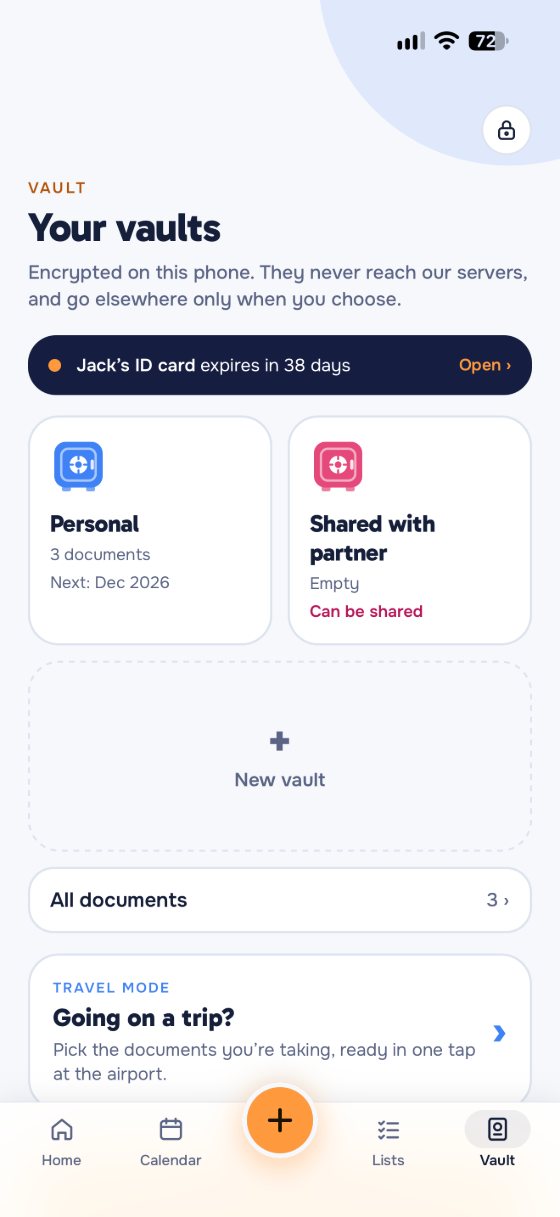
Vaults you set up
Keep your own documents in Personal and the ones your partner may need in Shared with partner, or make vaults of your own. Only a shared vault can be sent.
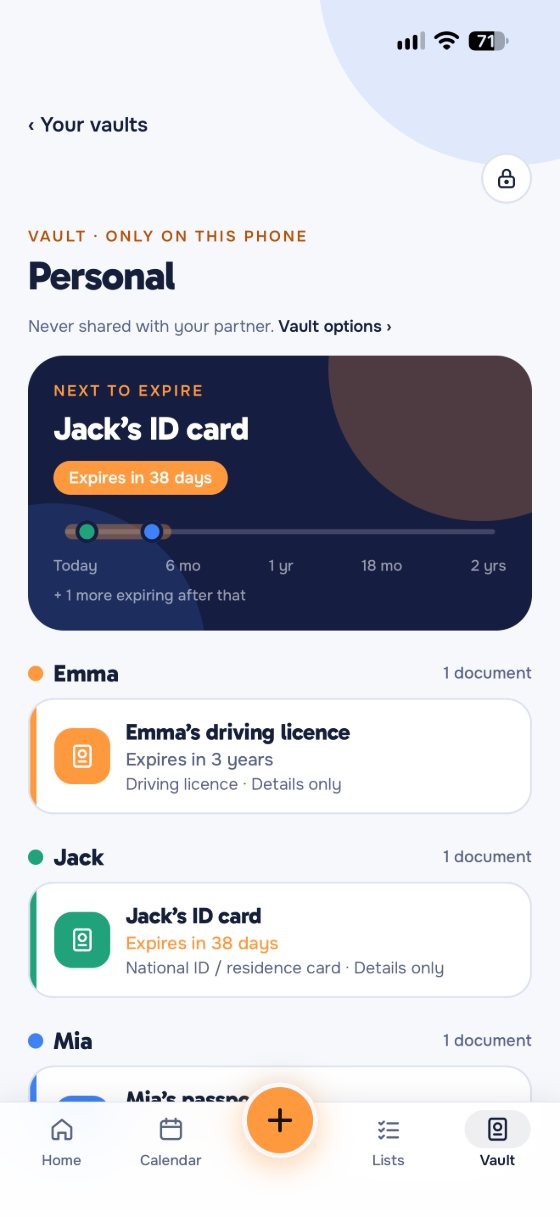
Expiring soon, on Home
A card on Home shows documents coming up for renewal, by name only, and opens them behind Face ID.
Documents that go together
A passport’s reminder also mentions that person’s visa and ID card, because renewing one often means updating the others.
Send to your partner
Your partner travelling alone? Send the documents straight to their phone by AirDrop or any app, locked with a code of six words you tell them. The file opens for 24 hours only, and never goes through our servers. On their phone the documents go into their own vault, with their own expiry reminders.
Share a copy safely
Send a photo with a watermark saying what it’s for, hide the number with a black box, or share just the details. Face ID is asked every time.
Scan it, or pick the PDF
Scan document finds the card’s edges and straightens the front and back in one go. Got it as a PDF? Choose it, and crop to the card.
Reads the dates for you
After you add a photo, your phone reads the expiry date and number and offers to fill them in. It’s read on your phone; nothing is sent.
Photos are optional
Keep only the details and delete the photos at any time.
Hide names on the lock screen
Turn off document names, and reminders say only “A vault document”.
Several vaults
Keep a Personal vault, a Shared with partner vault for what can be sent, and your own, each with its documents grouped by person.
Back it up, automatically if you like
A full backup puts the vault in one file locked with your password. Save it where you choose, or let the phone save it by itself to your own iCloud Drive or Google Drive. We never see it or the password.
Vault documents never reach our servers. They’re encrypted on your phone with a key that stays on it, and they aren’t shared with your family, caregivers or anyone else unless you send or share them yourself, phone to phone.
Good to know
What if I lose my phone?
If you signed in, your family’s shared events and lists come back when you sign in on the new phone. The vault comes back from your full backup, with its password: turn on automatic backup, or make one now and then, and keep the originals safe.
Can my partner see the vault?
Not unless you send it. The vault never reaches our servers. When your partner needs the documents, for example to travel with the children, tap Send to your partner: they arrive on their phone locked with a code you tell them, and go into their own vault.
Which documents can I keep?
Passports, ID and residence cards, visas, driving licences and anything else with an expiry date, like a pet’s vaccination record.
Does it read my passport automatically?
Yes, on your phone. After you add a photo it finds the expiry date and number, including a passport’s machine-readable lines, and you choose Fill in or Not now. Nothing is sent.
Your family’s plans, in one happy box.
Start with a free trial. Everything stays on your phone unless you choose to share it.
Get the app