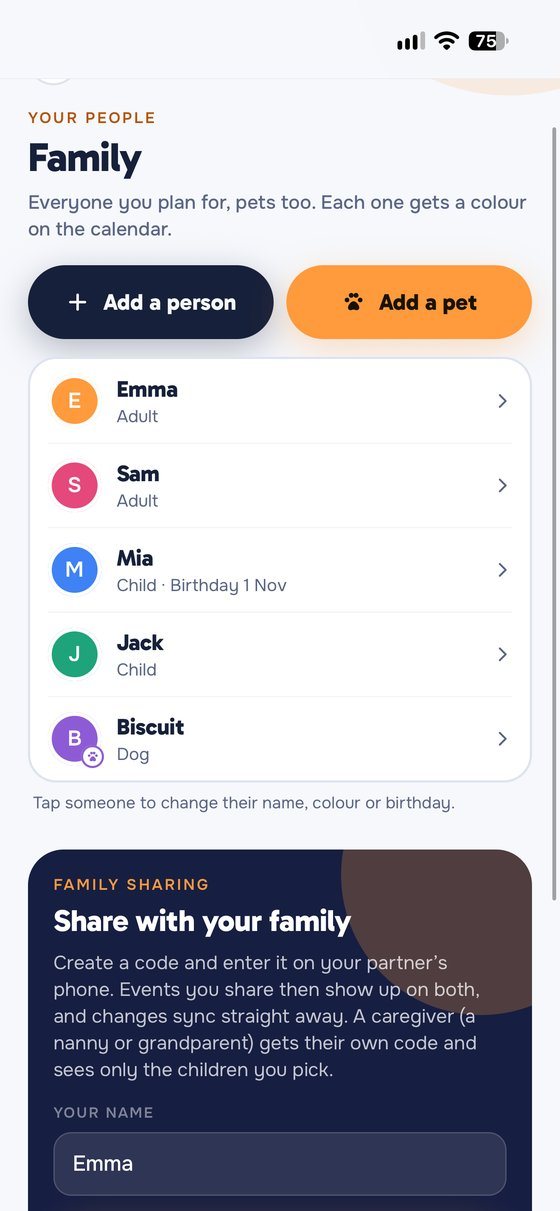
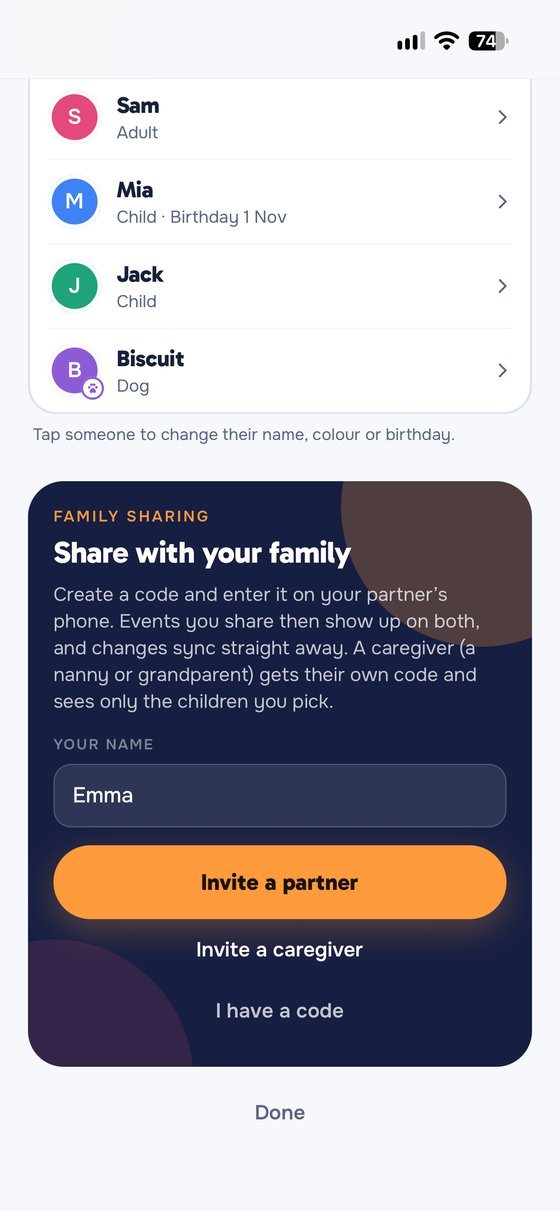
Three steps
Make a code
Family › Share with your family. A 8-character code works for 48 hours, for one phone.
They join
They install the app and enter the code. The family’s shared events and lists arrive.
Changes travel
Add, move or cancel something and the other phone shows it, with a notification.
Made for real family life
What’s new
A card on Home lists what your partner added or changed, and the event shows “Changed by Sam” until you’ve looked.
Caregivers see only what they need
Invite a nanny or grandparent and pick the children they can see. They get those children’s shared events and the lists you choose, can add and tick things off, and hear when either of you adds to those lists. Everything else is view only for them.
A phone for your child
Set up MyFamPulse on a child’s phone with a code from the Family screen and choose the age group. Under 15 they see only their own plans (and whole-family ones if you like), with reminders. From 15 they can also suggest an event, which you add or turn down. They never see health events, lists or the vault.
Health stays private
Vaccinations, medication and other health events stay on your phone unless you confirm sharing each one, and are never shown to caregivers.
Your choice, event by event
Each event has a Share with family switch. Events you don’t share stay on your phone only.
Shared lists
Shopping, to-do and packing lists show on every phone in the family, with who added what.
The same family on both phones
Names, colours and school classes match on every partner’s phone. If the two phones differ the first time, you choose which version to keep, person by person.
Only on this phone
Events you haven’t shared are marked, and Check what’s not shared on the Family screen lets you share them, or keep them private, in one place.
Notified, even when it’s busy
Your partner hears about a change even if you put your phone away straight after making it.
A new phone gets your family back
Optionally sign in with Apple or Google. On a new or reset phone, sign in again and the family’s shared events, lists and family list come back.
Face ID before anything is lost
Leaving the family, deleting the family’s shared data, or deleting an event asks for Face ID or your passcode first.
Leave or delete any time
Leave the family on your phone, or delete everything your family shared from our database, in one tap.
Only events and lists you choose to share are stored in our cloud database, readable only by the phones in your family. Your documents and anything you don’t share stay on your phone.
Good to know
Do we need accounts or email addresses?
No. Phones join with a short code, with no passwords or emails. If you like, sign in with Apple or Google so a new phone gets your family back; it’s optional.
How many phones can join?
Up to 10 phones per family: two parents, plus caregivers and children’s phones.
Is a child’s phone safe?
The child types nothing to join, sees only what you chose, and never sees health events, lists or the vault. The age group is your choice; the app can’t check it.
What can a caregiver change?
Only the lists you share with them: they can add items and tick them off. Everything else is view only: they can’t add, change or delete events, or change who’s in the family. Their app shows a short menu with no settings to manage.
Can I stop sharing?
Yes. Turn sharing off on an event, remove a caregiver, leave the family, or delete all your family’s shared data from the Family screen.
Your family’s plans, in one happy box.
Start with a free trial. Everything stays on your phone unless you choose to share it.
Get the app